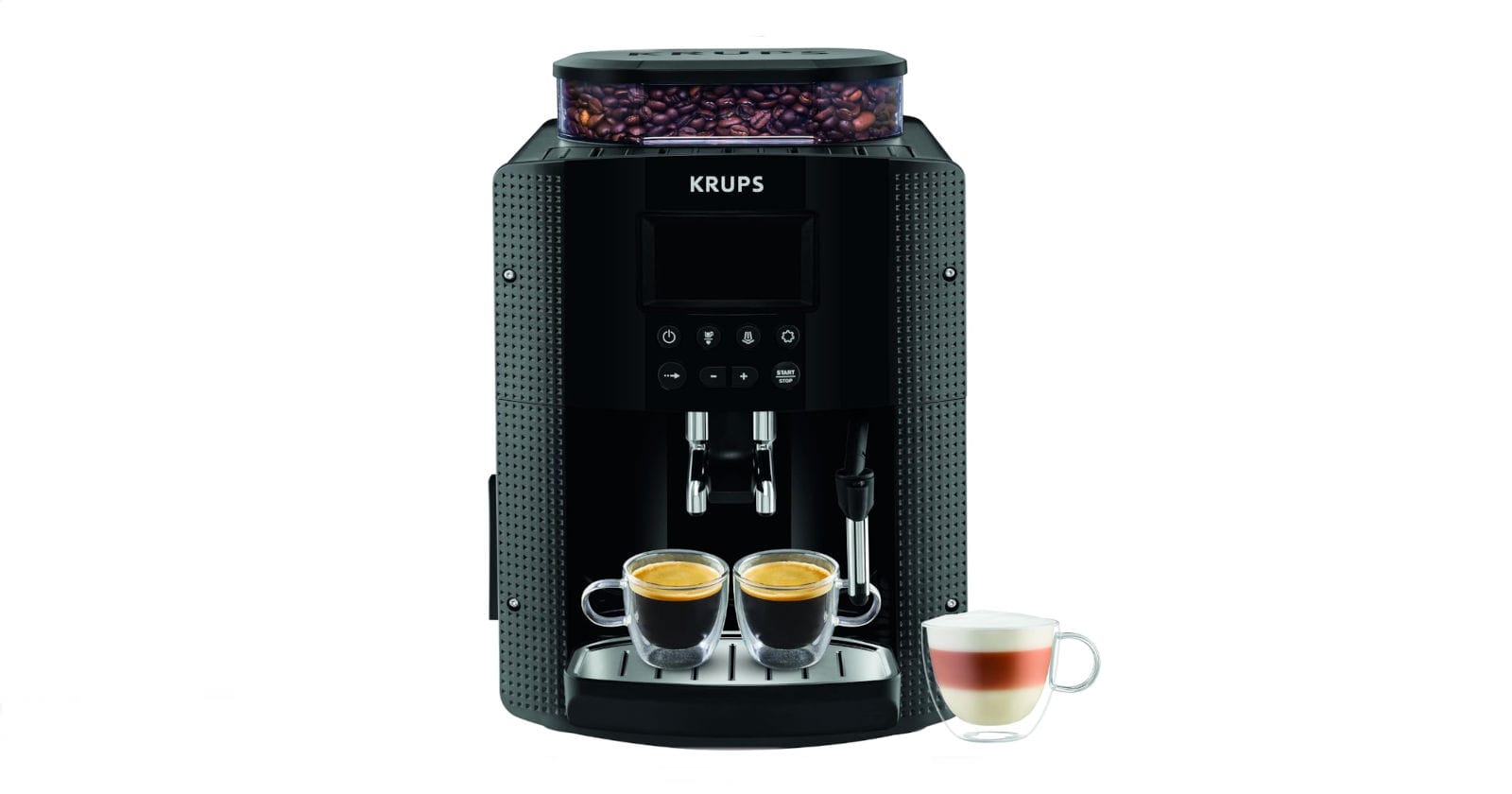
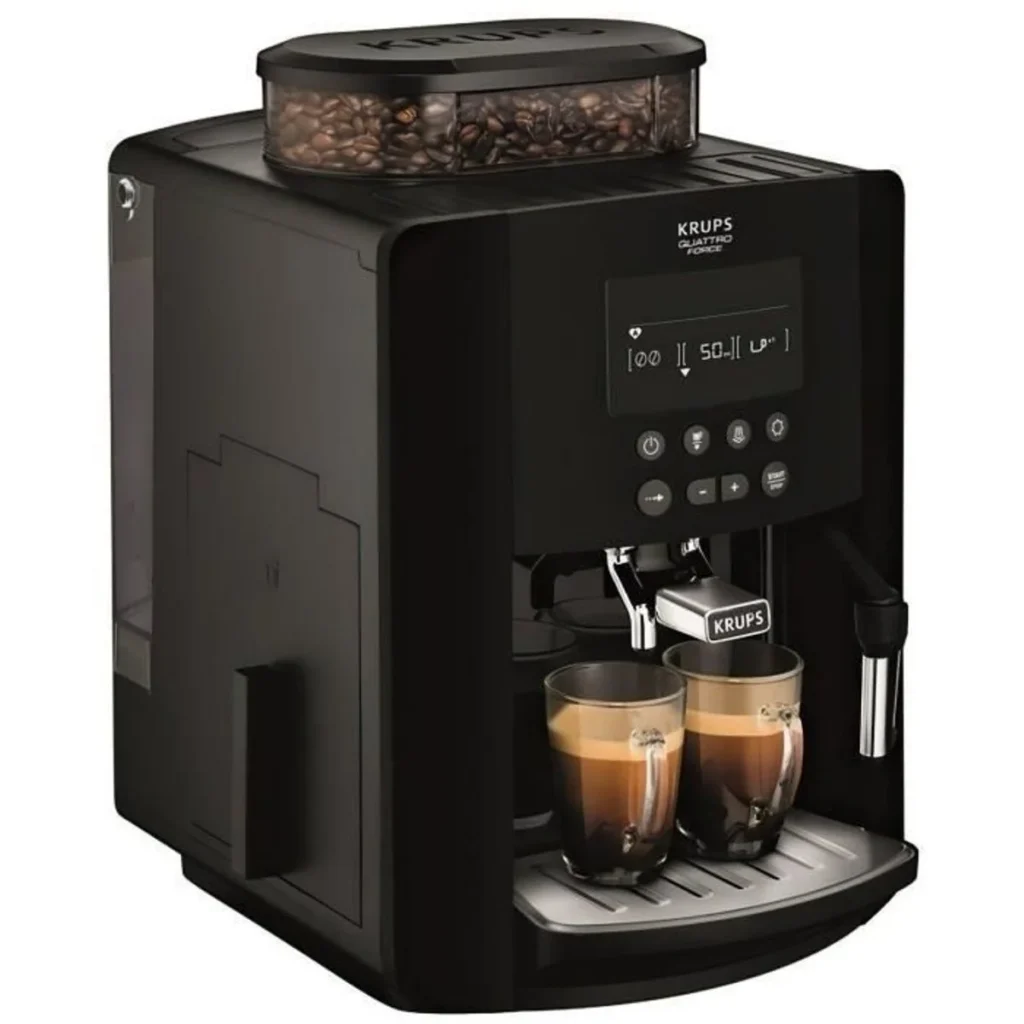
Does your Krups Quattro Force display flashing lights, refuse to make coffee or seem to be stuck in an endless cycle? A reset can often solve these technical problems without having to contact the after-sales service. In this guide, we explain how to reset your Krups EA82 series bean-to-cup coffee machine, based on our troubleshooting experience and validated technical procedures.

☕ Summarise this article with AI
When should I reset my Krups Quattro Force?
A reset is a maintenance procedure that restores your machine’s factory settings. Unlike a simple reboot, it erases customised configurations and can resolve electronic malfunctions.
Signs requiring a reset
Several symptoms indicate that your Quattro Force needs to be reset:
Problems with indicator lights
- All red lights flash simultaneously on start-up
- The coffee grounds container light stays on even though the container is empty
- The “clean” and “calc” lights flash continuously even after cleaning
- The screen displays an electrical socket symbol or a persistent error message
System malfunctions
- The machine locks in maintenance or descaling mode
- Coffee no longer flows or flows too slowly
- The grinder works but no coffee falls into the brewing chamber
- The appliance keeps asking you to fill the water tank even though it is full.
Faults after maintenance
- Following incomplete cleaning or descaling
- After dismantling and reassembling parts for maintenance
- When the machine no longer responds to the usual commands
According to specialist appliance repair technicians, around 60% of automatic coffee machine malfunctions are due to incorrect settings or badly calibrated sensors, which can be corrected by resetting the machine.
Preparation before resetting
Before proceeding with the reset, meticulous preparation ensures the success of the operation.
Preliminary checks
Electrical safety The first rule of safety is to unplug the appliance from the electrical socket. This precaution avoids any risk of electric shock and allows the machine to reset completely. Wait at least 30 seconds before handling the appliance.
Cleaning the components Remove and empty all the removable parts: the water tank, coffee grounds container, drip tray and, depending on the model, the red cleaning drawer. Take the opportunity to clean these parts with lukewarm water. A clean tank makes it easier for the sensors to detect when the machine needs to be reset.
Positioning the grind selector On Quattro Force models, the grind fineness adjustment knob must be positioned in the centre position, never in the extreme position. Incorrect positioning can cause blockages after resetting.
Materials required
To carry out the procedure correctly, prepare :
- A container with a minimum capacity of 600 ml to be placed under the nozzles
- Fresh water to fill the tank
- The user manual for your model (available on the Krups website if lost)
- Possibly a Krups XS3000 cleaning tablet if a complete cleaning cycle is planned.
Complete Quattro Force EA82 reset procedure
The Quattro Force EA82 series includes several models (EA8200, EA8250, EA82FD, etc.) which share a common reset procedure. Here we detail the method validated by technicians and confirmed by Krups support.
Universal method for machines with touch screen
Step 1: Switching off Switch off the machine using the on/off button on the back or side. Then unplug the machine from the wall socket and wait at least 30 seconds.
Step 2: Removing accessories Remove the water tank, grounds container, drip tray and cleaning drawer in this order, if your model has one. Leave these items removed throughout the procedure.
Step 3: Accessing the reset menu Reconnect the machine while holding down the “Menu” button. On some Quattro Force models with touch interface, you must hold down the “Start” and “Clean” buttons simultaneously for 10 seconds. The screen will display a special menu or all the lights will come on simultaneously.
Step 4: Navigating the settings Once in the menu, navigate to the “Factory reset” option. Press the central button to confirm. The machine will emit a beep and the screen will display the progress of the reset.
Step 5: Rinse cycle After confirmation, replace the water tank (filled with fresh water), the grounds container and the drip tray. Place a container under the coffee and steam nozzles. The machine will automatically perform a complete rinse cycle of the circuits, which may take 2 to 3 minutes.
Step 6: Initial configuration When you restart, the machine will ask you to reconfigure the basic settings: language, water hardness, date and time. Follow the on-screen instructions as you did the first time. This step is essential for the sensors to recalibrate correctly.
Method for models without digital display (EA81, former EA82)
For Krups Quattro Force models without a digital display, there is a specific procedure which we describe in detail in our EA81 reset guide. The technique differs slightly and requires you to simultaneously manipulate the flow button and the strong coffee button during reconnection.
Here are the main points of this alternative procedure:
- Switch off the power and remove all accessories
- Set the flow knob to 20 ml
- Press and hold the “strong coffee” button (far right)
- Plug in the plug while holding the
- All the lights come on
- Adjust the flow knob until the indicator lights go out.
- Start a cycle by pressing “weak coffee”.
- The machine performs an automatic double rinse
This method requires more precise timing but is still effective on older models.
Common problems after reset and solutions
Even after a successful reset, certain problems may persist or appear. Here’s how to identify and resolve them.
The machine does not switch on
If your Quattro Force does not start after the reset, there are several possible causes:
Checking the power supply First test the wall socket with another appliance to confirm that it works. Visually inspect the power cord for cuts or damage. A damaged cord should be replaced with a genuine Krups part.
Temperature sensor problem On EA82 models, an error code 9 (flashing red lights) often indicates a temperature sensor (NTC) fault. This fault occurs when the sensor connections loosen with vibration. According to specialist repair forums, this sensor is located behind a black cover that can be accessed by removing the front panel. If you are comfortable with electronic soldering, the problem can be solved by re-soldering the connections. Otherwise, contact an authorised Krups repairer.
Faulty thermal fuse Krups EA82 machines incorporate a thermal fuse before the boiler resistor. If this fuse has blown, the machine will no longer heat up and may refuse to start. This check requires opening the machine and using a multimeter.
Coffee does not flow properly
Grind problem If the grind is too fine, the water cannot pass through and the coffee may not flow properly. On the Quattro Force, the grind adjustment knob is located in the bean container. Turn it gradually towards a coarser grind (to the right) and test with 2 to 3 coffees to see if the setting takes effect.
Clogged dispenser The dispenser, located just above the coffee outlet, can become clogged with residues of ground coffee. To clean it, remove it according to the instructions in the Krups manual, then rinse it thoroughly with lukewarm water. Some users report that careful cleaning of this part solves 80% of spillage problems.
Faulty cylinder The cylinder is the element that compresses the coffee in the brewing chamber. On Krups grinders, leaks in the cylinder are common and can affect the pressure required for extraction. If you notice water leaking from the piston, the seals on the cylinder must be replaced. Replacement parts are available from specialist retailers such as Miss-Pieces.
The lights continue to flash
Incomplete cleaning cycle If the “clean” and “calc” lights persist after the reset, this usually means that a cleaning or descaling cycle has been interrupted. The only solution is to restart the entire programme from the beginning. On EA82 machines, an interrupted cycle is automatically restarted from zero, even if you unplug the appliance, to ensure the hygiene of the circuit.
Use a Krups XS3000 cleaning tablet (never a third-party brand) and follow the steps on the screen carefully. The cycle takes approximately 13 minutes and consists of two phases: cleaning and rinsing. Never interrupt this programme.
Incorrectly calibrated sensors Quattro Force machines incorporate a number of sensors: water level, presence of the grounds container, position of the cleaning drawer. If a sensor is dirty or incorrectly positioned, the indicators may remain lit. Carefully clean all the contacts on the various trays and make sure they engage correctly with an audible “click”.
Flow meter faulty The flow meter measures the quantity of water flowing through the machine. When it malfunctions, the appliance may display a “refill required” loop, even when the tank is full. According to user testimonials on Darty forums, replacing the flow meter (available for around €25) definitively solves this recurring problem with EA82s.
Optimum post-reset configuration
After the reset, set up your machine correctly to optimise the quality of your coffee and prolong the life of the appliance.
Setting the water hardness
Water hardness has a direct influence on the frequency of descaling required. Krups Quattro Force machines are factory-set to level 3 (hard water), but you should adjust this setting according to your local water.
Use the test strip supplied with the machine (or buy a new one). Dip it in a glass of tap water for 1 second, then wait 1 minute to read the result. The levels range from 0 (very soft) to 4 (very hard). In the machine menu, access the settings and change the setting accordingly.
Very hard water needs descaling every 2 to 3 months, while soft water can require descaling up to 6 months apart. You can also install a Claris F088 filter cartridge, recommended by Krups, which reduces limescale and improves the taste of the coffee.
Personalised drinks
Take advantage of the reset to redefine your coffee preferences:
Fineness of grind Start with the middle setting and adjust gradually. A fine grind produces a fuller-bodied coffee but may slow down the flow. A coarse grind produces a lighter coffee and flows more quickly. Test 2 to 3 coffees after each change to assess the result.
Volume and strength Quattro Force models can store several volume and strength settings. To personalise a drink, start the preparation and hold down the button until the desired volume is reached. The machine automatically saves this setting.
Temperature By default, the temperature is set to “medium” (level L). For a hotter coffee, go to the menu and increase the temperature. Recent models offer 3 levels of adjustment. To optimise cup temperature, always preheat your cups by rinsing them in hot water before use.
Preventive maintenance to avoid frequent resets
A well-maintained machine rarely needs resetting. Here are the best practices validated by professionals.
Regular cleaning of components
Coffee group and dispenser The removable coffee group (on some Quattro Force models) should be rinsed with lukewarm water once a week. Never use a washing-up liquid that could leave a residue. Dry the group completely before replacing it.
The fixed dispenser should be cleaned monthly. On repair forums, many users report that they have solved persistent problems by simply removing the cup rest and cleaning the area under the grinder, which is often filled with accumulated ground coffee.
Steam nozzle After each use to froth milk, purge the steam nozzle by letting steam out for 2 seconds. Clean the nozzle with a damp cloth. Once a week, dismantle the nozzle and clean it with the needle provided to unblock the holes. Dried milk residue is the main cause of this component malfunctioning.
Water tank Empty and rinse the tank at least twice a week, even if you use the machine every day. Stagnant water encourages the development of bacteria and biofilm, which can affect the taste of the coffee and clog the circuits. Use fresh tap or filtered water, never sparkling or distilled mineral water.
Preventive descaling
Descaling is the most important maintenance operation for your Quattro Force. Limescale builds up in the boiler and pipes, gradually reducing performance and potentially causing costly breakdowns.
Recommended frequency Depending on the hardness of your water :
- Very hard water (level 4): descaling every 2 months
- Hard water (level 3): descaling every 3 months
- Soft water (level 2): descaling every 4-5 months
- Soft water (level 0-1): descaling every 6 months
The machine will automatically alert you when descaling is required via the flashing “calc” light, but it’s best to plan ahead according to the schedule above.
Products to use Krups recommends its official descaler (reference F054). Universal descalers or diluted white vinegar can damage the internal seals and aluminium components of the boiler. White vinegar, although economical, leaves a persistent odour that is difficult to remove and can alter the taste of coffee for several days.
A study carried out by the National Consumer Institute in 2019 revealed that the use of unsuitable descalers reduces the average lifespan of automatic coffee machines by 30%.
Descaling procedure The descaling cycle on Quattro Force machines takes around 20 minutes and consists of several phases. Prepare a descaling solution according to the manufacturer’s instructions, empty the coffee grounds container, fill the reservoir with the solution and start the programme via the menu. Follow the steps on the screen precisely and never unplug the machine during the cycle.
After descaling, rinse the appliance 2 to 3 times with clean water to remove all product residues.
Good practice in use
Bean quality Avoid oily, caramelised or artificially flavoured coffees, which clog up the grinder and coffee group. These beans leave sticky residues that are difficult to remove. Choose quality, recently roasted beans, stored in an airtight container away from light and moisture.
Never fill the bean hopper to capacity. Keep a reserve capacity to allow the grain to flow properly into the grinder. An overfilled bin can cause blockages.
Automatic rinse cycle Systematically activate the automatic rinse when the machine is switched on and off. This function, available in the settings, circulates clear water through the circuits to eliminate coffee residues. It’s a simple but effective precaution for maintaining internal hygiene.
Period of non-use If you are not using your Quattro Force for more than a week (on holiday, travelling), completely empty the water tank, grounds container and drip tray. Leave the components to air dry. When restarting, perform 2 to 3 rinsing cycles before preparing coffee.
When to call the after-sales service
Some faults go beyond a simple reset and require the intervention of a professional.
Faults requiring a technician
Mechanical problems If the grinder makes abnormal noises, stops suddenly or stops turning, the motor may be burnt out or a hard object (stone, screw) may have fallen into the mechanism. Do not attempt to dismantle the grinder yourself, as this could cause further damage. Krups technicians have specific tools and parts.
Persistent leaks, particularly in the boiler or internal fittings, also require professional expertise. As explained in our guide to resetting YY8135FD grain machines, some repairs involve replacing pressure seals or hydraulic components.
Electronic faults Error codes 0C, 0D and 0E on EA82 models indicate a communication fault between the display module and the power board. This type of fault requires the replacement of an electronic board, an operation which must be carried out by an approved repairer to maintain the warranty.
If your machine emits repeated beeps, displays an unknown error code or if the lights display combinations not documented in the manual, contact Krups support before carrying out any work.
Krups warranty and service
Krups Quattro Force machines come with a 2-year manufacturer’s warranty for domestic use. This guarantee covers manufacturing defects and material faults, but excludes normal wear and tear of parts (seals, grinder) and damage caused by inadequate maintenance or the use of non-compliant products.
Krups guarantees the availability of spare parts for up to 15 years after purchase and has an extensive network of authorised professional repairers. To find your nearest service centre, visit the official Krups website or call the consumer service department.
The out-of-warranty repair package includes diagnosis, labour, parts and a 6-month additional warranty. Prices vary depending on the breakdown, but are generally competitive compared with the purchase of a new machine.
Frequently asked questions
Does a reset erase all my settings? Yes, a reset restores the factory settings and deletes all your customisations: coffee strength, memorised volumes, temperature and grind setting. Make a note of your preferences before proceeding so that you can reconfigure them quickly afterwards.
How often can I reset my machine? There is no technical limit to the number of resets, but this procedure should not be necessary frequently. If you have to reset your machine more than once a month, there is probably an underlying problem (faulty sensor, inadequate maintenance). In this case, consult a technician.
Can the machine be reset with an empty water tank? The first part of the reset (access to the menu and validation) can be done without water, but the final rinse cycle requires a full tank. To carry out the whole procedure in one go, prepare all the equipment in advance.
What’s the difference between resetting and descaling? Resetting is an electronic operation that restores software settings, whereas descaling is a chemical cleaning of the circuits that eliminates limescale deposits. These are two distinct and complementary operations. A reset never replaces descaling.
Can resetting damage my machine? No, if it is carried out correctly according to the procedure described. Resetting is a function provided by the manufacturer. Simply follow the steps in order and do not unplug the machine during a rinse cycle.
My Quattro Force model is old, is the procedure different? Older Quattro Force models (EA81 in particular) use a slightly different method of manipulating the flow button. Please refer to the specific manual for your model or consult our guide for models without a digital screen.
Conclusion
Resetting a Krups Quattro Force bean-to-cup coffee machine is an easy maintenance operation that can resolve many malfunctions without having to call the after-sales service. By methodically following the steps described in this guide and adopting good preventive maintenance practices, you will significantly extend the life of your appliance and preserve the quality of your coffees.
Bear in mind that a reset should not become a recurring solution to persistent problems. If your machine requires frequent servicing, a professional diagnosis will help to identify and correct the root cause of the malfunction.
To find out more about maintaining your Krups machine, consult our other practical guides on descaling, cleaning the coffee group and optimising settings to get the best possible coffee.